
Planners manage product portfolios with data tracked automatically by Horizon
Horizon tracks every new launch against the forecast automatically, flagging it as under-forecast, over-forecast, scaling, or stalled.
When a product's run ends, planners link it to its replacement and set an exact end date. Every active product and its revenue stay visible in one place, backed by real master data.
When a product's run ends, planners link it to its replacement and set an exact end date. Every active product and its revenue stay visible in one place, backed by real master data.
Horizon's New Product Monitor flags whether a new launch has a forecast yet, and how it's performing once it does
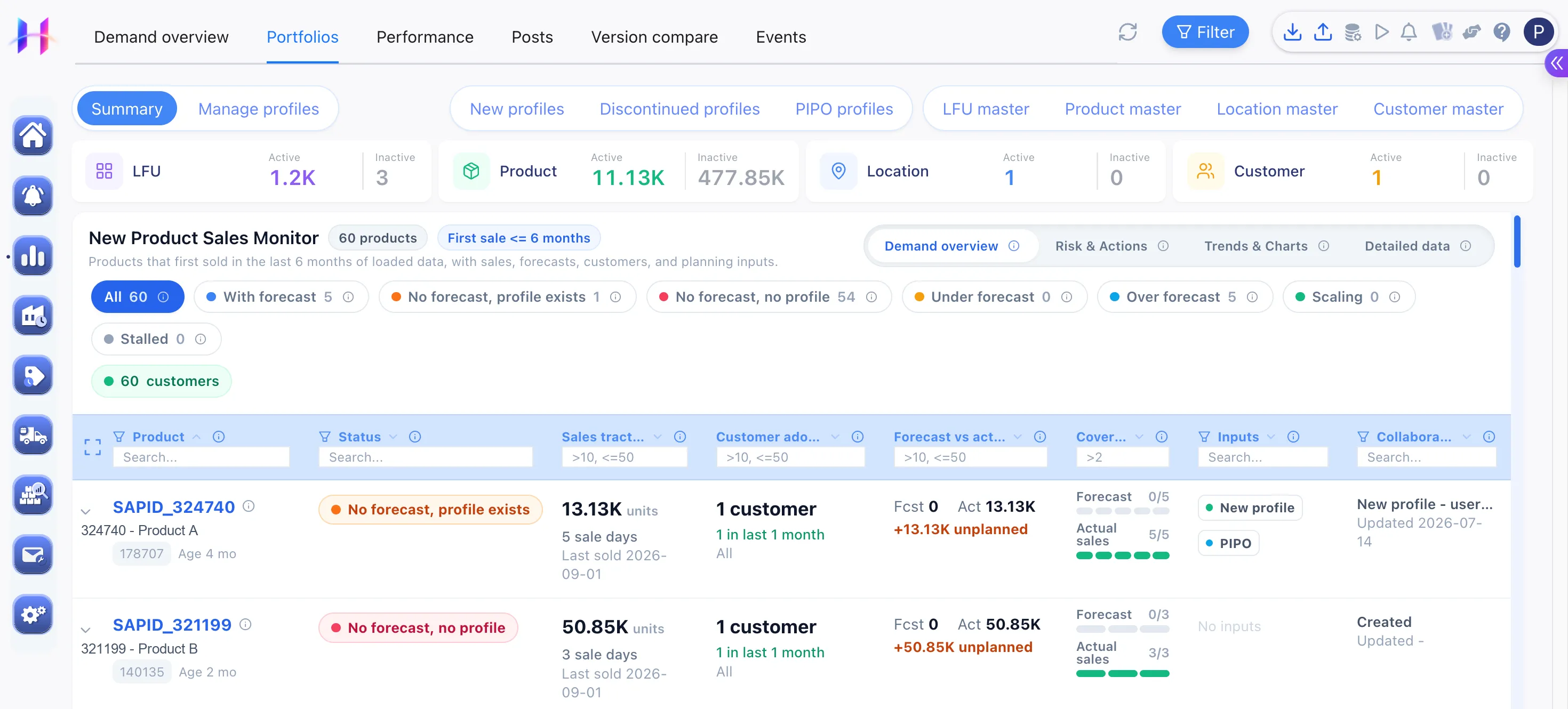
- Horizon pulls every recently launched product's sales, forecast, customers, and planning inputs into one row.
- Each new launch gets flagged automatically as having a forecast, having a profile but no forecast, or no profile at all, so planners know which ones still need setup.
- Once a forecast exists, performance against it gets tracked the same way: under-forecast, over-forecast, scaling, or stalled. If sales come in before a forecast was ever set, Horizon flags that activity as unplanned instead of guessing at a comparison.
Planners discontinue an item with its own stop date, inventory run-out date, and taper schedule
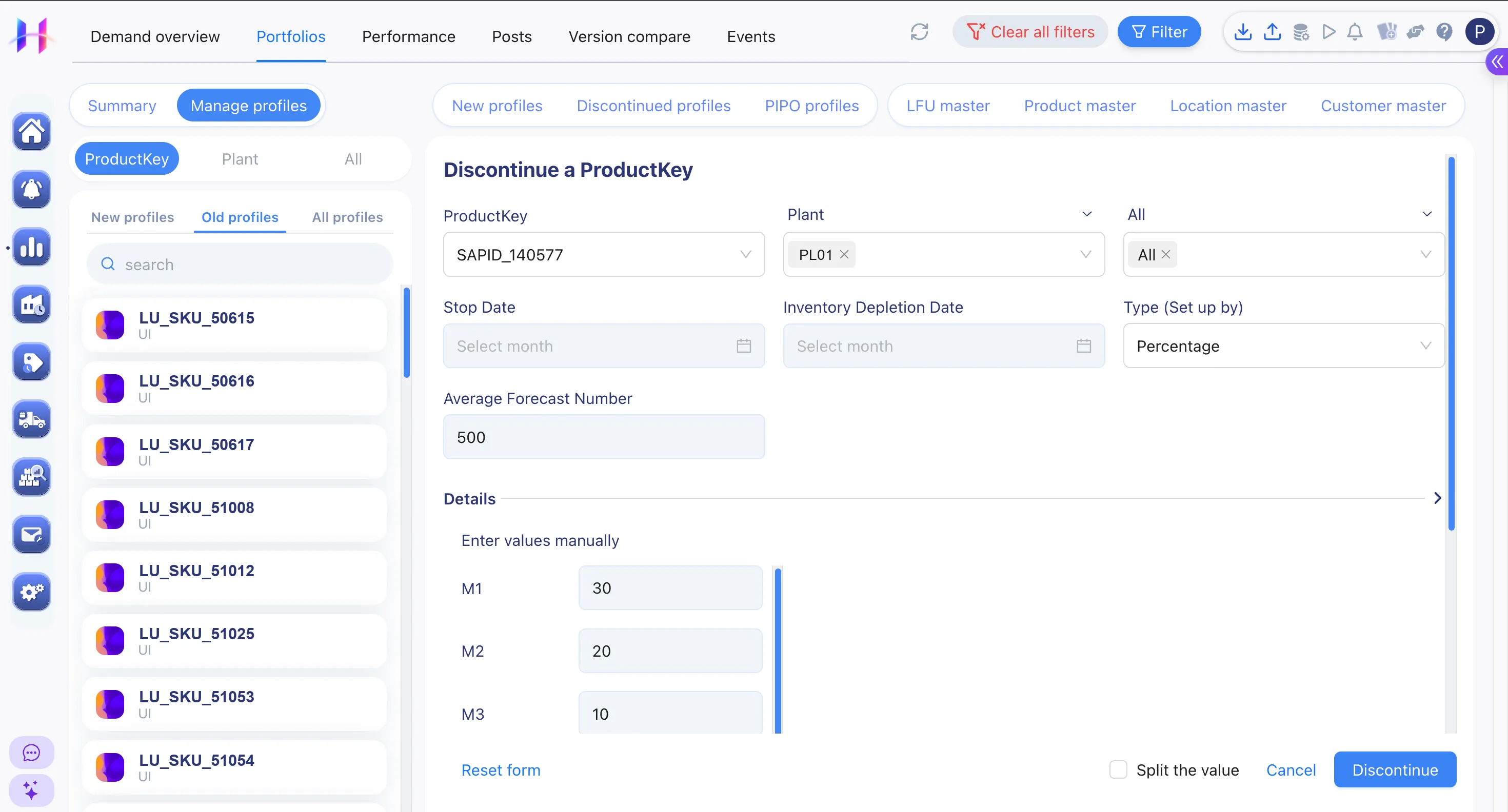
- When a planner scopes a phase-out to a specific item, plant, and customer, Horizon stops forecasting it only there.
- A stop date and an inventory run-out date rarely line up. Planners set each one separately, and Horizon stops the forecast at one while still tracking remaining stock until the other.
- Once a planner sets the forecast's taper, a flat percentage decline or an exact month-by-month number, Horizon applies it each period instead of cutting straight to zero.
Planners link an item to its replacement, and Horizon shifts the demand over on a schedule, not all at once
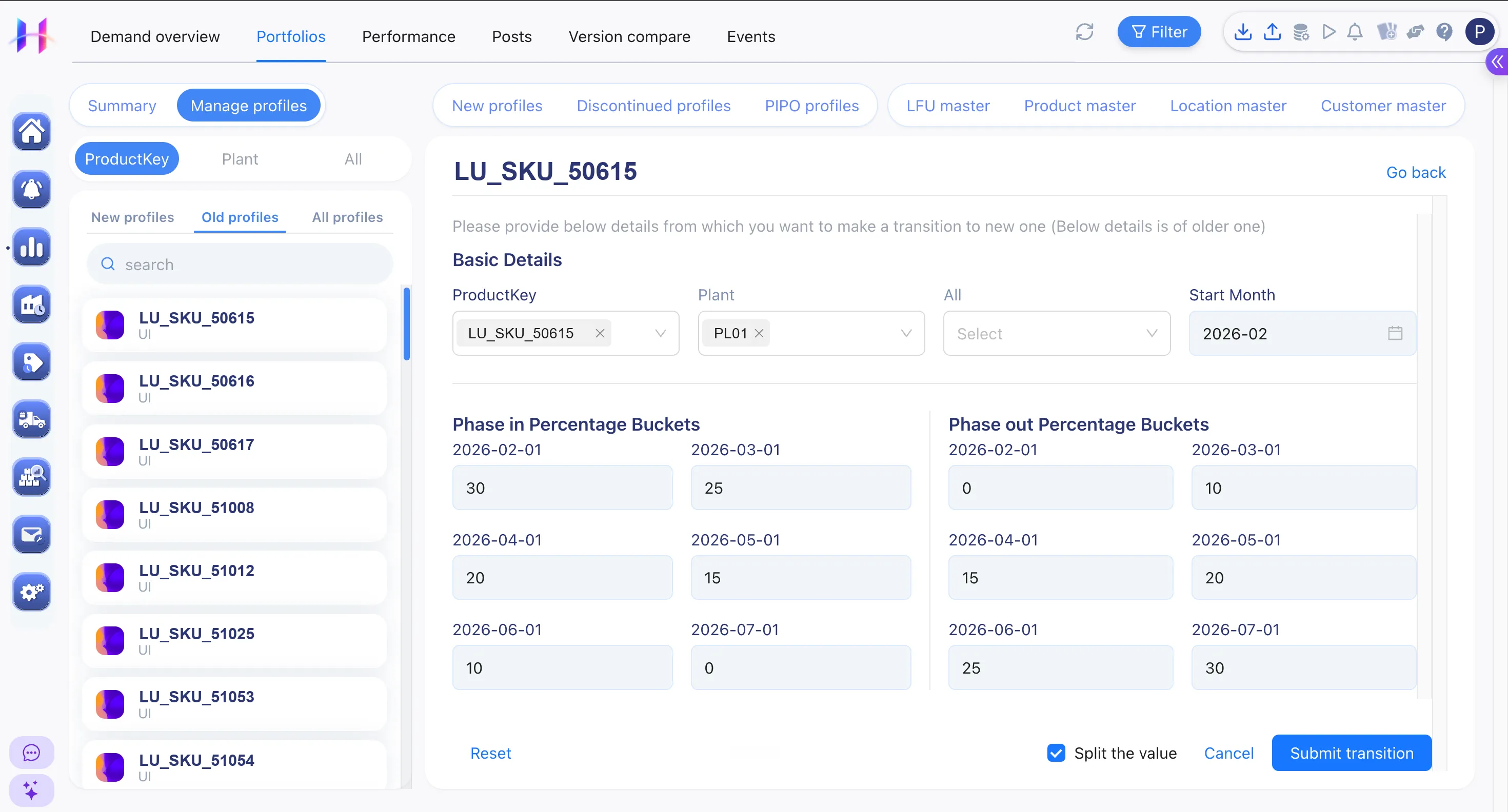
- Linking an item to its replacement sets a month-by-month percentage schedule for how its demand shifts over to the new item, instead of switching all at once.
- Each phase-in or phase-out item gets its own alert, flagging what's changed and when its forecast is due to start.
Why supply chain planning leaders recommend us
Real stories from supply chain planning leaders who've faced the same stockouts, inventory waste, and manual workarounds you have.

Furniture Manufacturer
“Impressed by the knowledge and fast results of Horizon. Together we turned plans into action in no time.”

Olivier Van HoefSupply Chain Manager at Ahrend

Business Consulting and Services
“After 40+ years of implementing different planning tools, Horizon is by far the easiest to set up and adapt. It combines strong models with a flexibility we haven't seen elsewhere.”

Alex YoungDirector at Demand Integration

Urban Gardening Retailer
“What stood out was how quickly our team could use Horizon and how easily it was integrated with our current systems: the planning team saw the impact on their day-to-day immediately, and it improved collaboration and decision-making from a management perspective.”

Siddhant BhalingeCEO at Ugaoo
Frequently Asked Questions
Find quick answers to the most common questions about portfolio management.
